
Accounting Practice Management Software: Key Features And Core Functions Explained

Many accounting firms use dedicated software to coordinate daily operations, manage client work, and centralize documents and communications. These systems typically combine workflow orchestration, task lists, time tracking, and client-facing portals so teams can manage engagements from intake through delivery. The underlying aim is to reduce manual coordination, maintain consistent procedures, and preserve a searchable record of activity across engagements.
Such platforms often support role-based access, integration with financial ledgers, and standardized templates for recurring activities. They may include features for assigning work, tracking deadlines, and producing status reports. While capability sets vary by vendor, common design goals include improving visibility into work in progress, reducing turnaround time for deliverables, and supporting regulatory or practice-quality requirements.
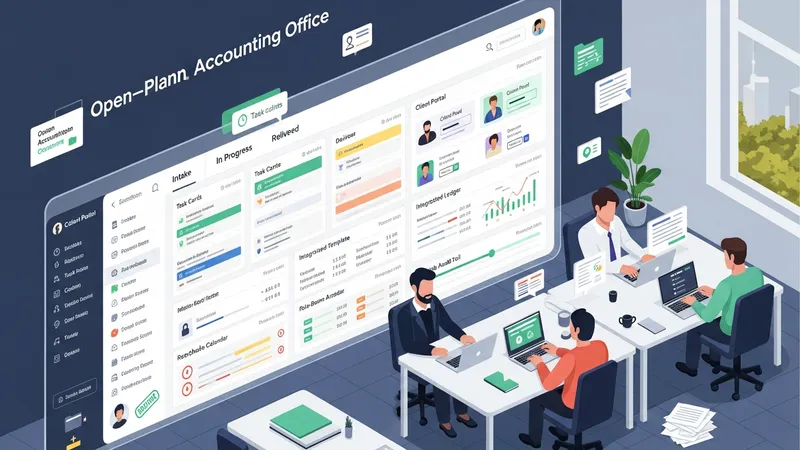
- Xero Practice Manager — A practice-focused module that commonly integrates client files, job tracking, and billing workflows with bookkeeping ledgers.
- Karbon — A workflow and collaboration platform often used to centralize task management, email integration, and team assignments for firms handling multiple engagements.
- QuickBooks Online Accountant — An accountant-oriented environment that typically includes client lists, task workflows, and connections to bookkeeping and payroll modules.
Feature coverage across platforms may include templated engagement checklists, recurring job schedules, automated reminders, and time-entry tools. These elements can often be configured to reflect a practice’s internal processes and staff roles. Integration with tax, payroll, or bookkeeping systems is a frequent consideration because it can reduce duplicate data entry and improve consistency of client records.
Task organization tools commonly provide views such as kanban boards, calendar timelines, and priority queues. These views can help firms allocate work according to capacity and deadlines. Where larger teams are involved, layered permissions and activity logs often help maintain accountability, while automation rules may trigger follow-up items or status changes based on completed steps.
Client communication features in these systems may include secure portals, document exchange, and activity logs that record interactions. A secure channel can reduce reliance on email for sensitive files and may support e-signature workflows. Client-facing elements often aim to give clients clear expectations about deliverables and due dates, while preserving an auditable trail for compliance and quality control.
Reporting and analytics functions typically surface metrics such as utilization, job aging, billable hours, and revenue per engagement. Dashboards may be configurable to present practice-wide or client-level views, and exported reports can support partner meetings or external reporting requirements. Data governance considerations often accompany reporting to ensure that metrics are consistent and traceable to source transactions.
Implementation planning often addresses migration of client records, mapping of legacy processes to new workflows, and staff training. Firms may pilot new modules with a subset of clients or engagements to reduce disruption. Technical considerations such as API availability, data export formats, and backup policies are commonly part of vendor evaluation and internal IT planning. The next sections examine practical components and considerations in more detail.