
Accounting Practice Management Software: Core Features For Workflow And Task Organization

Feature categories for workflow and task organization
Feature sets for workflow and task organization usually fall into distinct categories: task and status management, automation and templates, scheduling and calendar integration, and communication channels. Task and status management gives a clear view of work items and their progress; automation and templates help repeat common processes; scheduling connects tasks to firm calendars; and communication channels support internal handoffs. Firms commonly assess these categories together because strengths or gaps in one area may affect the usefulness of the others.
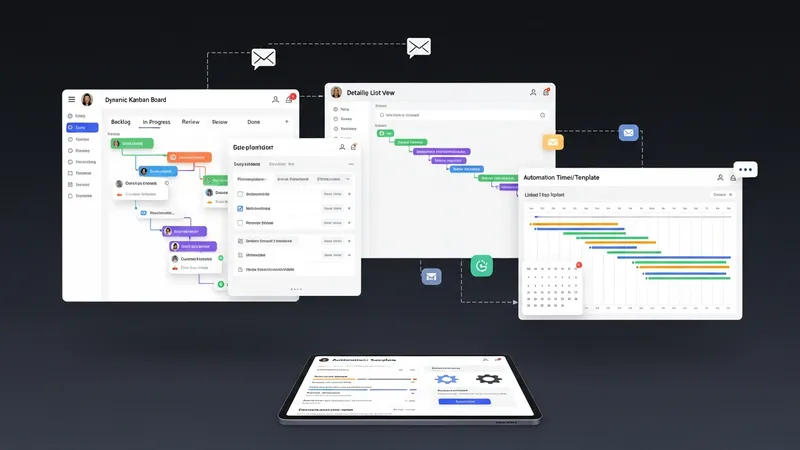
Task lists often support assignments, due dates, and status fields that can be customized to match a practice’s lifecycle stages. Some systems implement kanban-style boards, while others use list or timeline views. The choice of view may influence how easily staff adapt their daily routines: visual boards can aid quick triage, while lists may suit linear, step-driven engagements. Examples introduced earlier illustrate different emphases on these patterns.
Automation typically relies on templates that generate task groups for recurring work such as monthly bookkeeping or annual tax returns. Templates may embed conditional steps, dependencies, and reminders; they may also create checklist items that staff must complete before a task advances. Jetpack Workflow and similar platforms often offer template-driven automation, which firms may tailor to reflect compliance workflows or client-specific variations.
Scheduling and calendar synchronization permit tasks to appear on staff calendars and link deadlines to external calendar systems. This alignment may reduce missed deadlines and help managers forecast resource needs. Calendar integration quality varies, with some systems providing two-way sync and others offering one-way export. Practices often evaluate how scheduling aligns with client meetings, internal milestones, and external filing deadlines.